
Employee call tracking without end-of-day guesswork
How many customer calls happened today? Which employees connected with prospects? Which customers still need a callback? Which team members are carrying the highest conversation load?
CallTrackly gives managers structured visibility into authorized business calling activity without depending entirely on self-reported spreadsheets.
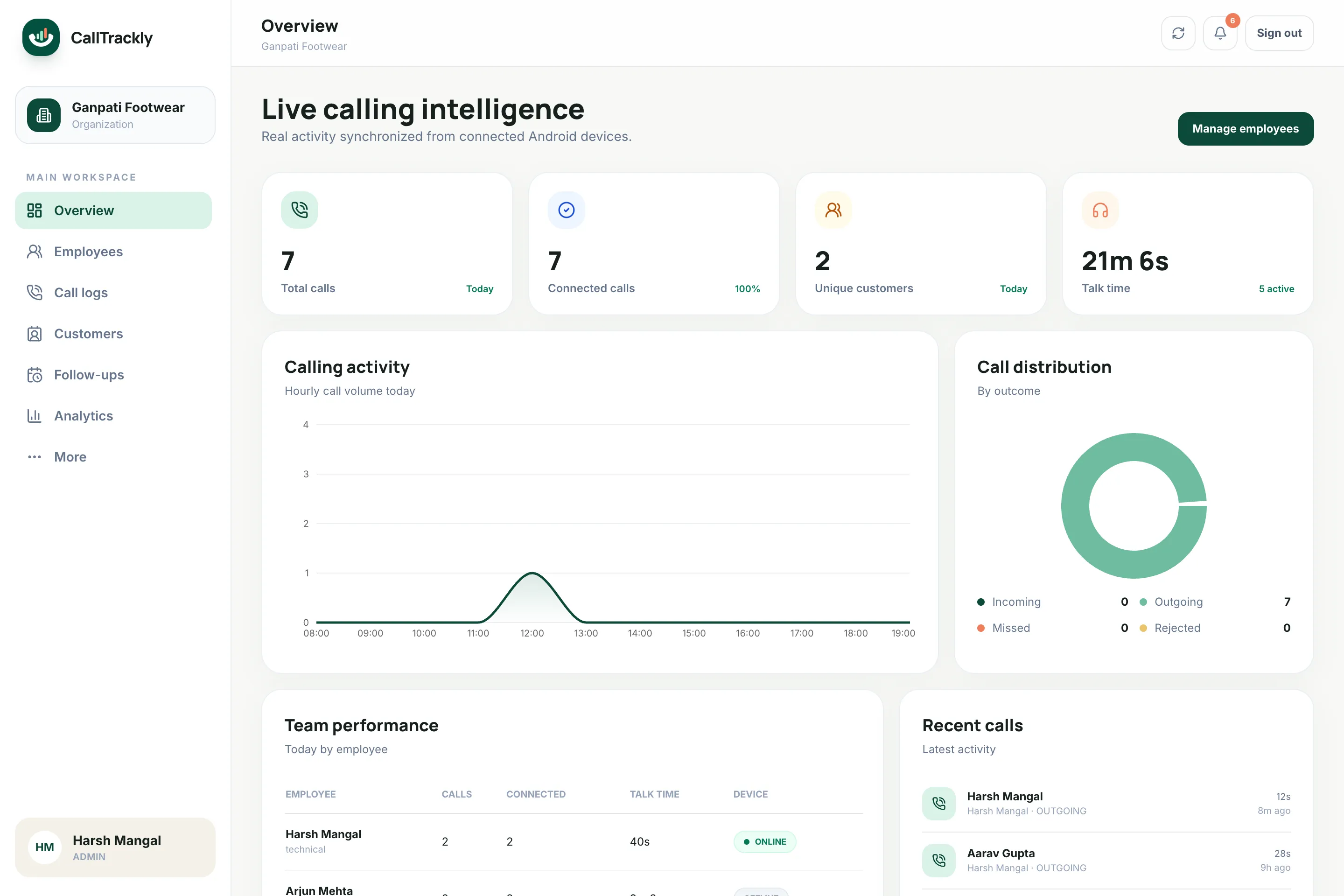
Understand calling activity employee by employee
View metrics such as:
- Incoming calls
- Outgoing calls
- Missed calls
- Rejected calls
- Connected calls
- Total talk time
- Unique customers contacted
- Average conversation duration
- Calling activity by hour
- Pending follow-ups
Stop measuring sales activity with call count alone
Making 80 calls and having five useful conversations is different from making 40 calls and having 25.
CallTrackly helps managers analyze activity in context: connected calls, talk time, and unique customers sit next to raw call volume.
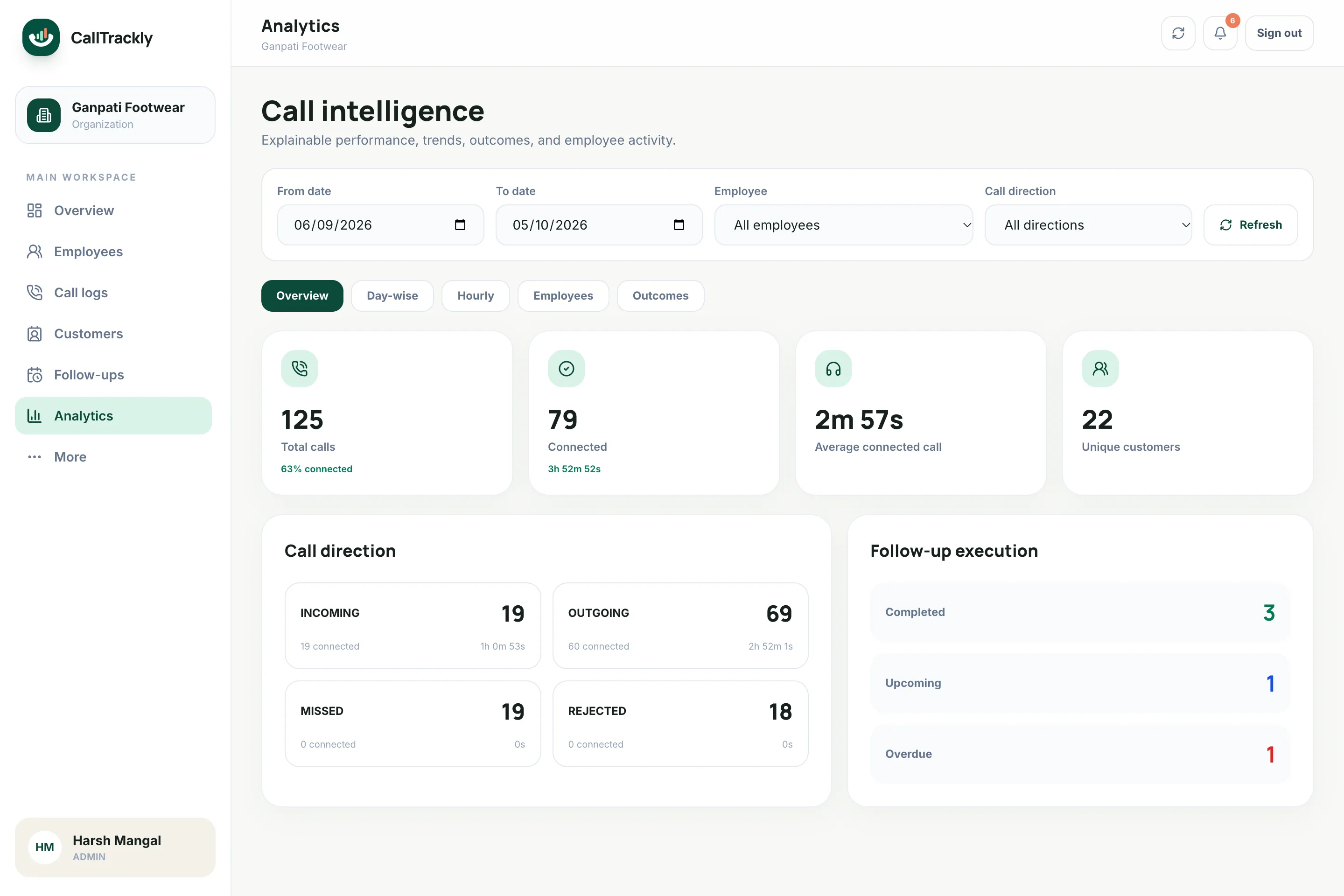
Find coaching opportunities
Identify employees who may need help with:
- Connection rates
- Follow-up discipline
- Customer coverage
- Calling schedules
- Lead handling
Built for transparent business use
CallTrackly should be installed and operated according to your organization's policies, with appropriate employee disclosure and authorization. Only the business SIM chosen during setup is tracked.
What an employee call tracking app should help you decide
A manager needs to know where attention is required, rather than simply who placed the most calls. Start with three questions: which customers have not been reached, which promised callbacks are overdue, and which employees need support with their workload. CallTrackly puts permitted calling activity beside employee ownership and customer history so those questions can be investigated together. A quiet dashboard may mean low activity, an offline phone, an employee on leave, or a permission problem. Check the device status before interpreting an empty report as a performance issue.
Call attempts, connected conversations and completed next steps measure different things. An outbound attempt shows effort; a connected call shows that a conversation was possible; a note and dated follow-up explain what should happen next. Review these signals together with the quality and age of assigned leads. Comparing a new starter with an experienced employee who handles returning customers can otherwise produce a misleading ranking.
Set up the first team without losing employee trust
Choose a small group of supported Android phones and document which business numbers will be included. Explain the purpose of collection, the categories of information involved, the people who can access it and the applicable retention arrangements. Employees join with the organization code and their work profile, review the disclosure and grant the required permissions. On a dual-SIM device, select the business SIM and verify that the phone identifies the SIM reliably before expanding the rollout.
Run a short acceptance check using test contacts: an answered outgoing call, an incoming call, a missed call and an unanswered attempt. Compare the phone history with the web console after synchronization. Check the employee name, direction, duration and timestamp in the organization timezone. Turn connectivity off and back on to confirm queued activity returns. Keep the app notification enabled so business synchronization remains visible. Employees can pause synchronization or revoke permissions; investigate missing access instead of encouraging hidden monitoring.
A practical daily and weekly manager review
At the start of the day, check disconnected phones and overdue follow-ups before reviewing yesterday’s totals. Assign unresolved customer callbacks to a clear owner. At midday, review customers who have not connected and consider whether a different calling time is appropriate. At the end of the day, ensure important conversations have a useful note and a next action. This sequence makes the dashboard part of service delivery, rather than an extra reporting obligation.
For the weekly review, use the same date range and employee scope for every comparison. Separate incoming demand from outbound prospecting, review unique customers alongside repeat attempts, and examine connection rate with talk time. Ask employees to explain unusual patterns. A long call can be productive discovery or a complaint; a brief call can be a successful confirmation. Where recording review is permitted and enabled, use authorized examples for coaching and allow employees to discuss the context.
Know the boundaries before you buy
CallTrackly captures eligible Android call-log activity; the manager console runs in a browser. It is not an iPhone call-log collector, an IVR provider or a replacement for your mobile network. Call metadata does not establish what was said. Recording synchronization is separate, requires an available compatible audio file and appropriate permission, and should be tested on each supported device configuration. Do not assume that every Android phone can record every conversation.
When evaluating a plan, count the employees who need access, review the required features and compare the complete subscription cost including applicable taxes. Agree on a process for employee departures and device reassignment. Historical business activity and account access have different purposes: removing an employee’s access should not be confused with deleting all shared customer records. Use your trial to validate this lifecycle, reporting and exports with your own authorized workflow before widening deployment.
Frequently asked questions
Can CallTrackly track incoming and outgoing calls?
Yes. CallTrackly organizes business-call activity on the selected SIM, including incoming, outgoing, missed and rejected calls.
Can I compare employees?
Yes. Manager dashboards support employee-level and team-level analytics, including calls, connection rate, talk time and unique customers.
Does it track personal conversations?
On dual-SIM phones the employee selects the business SIM, and calls on other SIMs are skipped. Organizations should deploy CallTrackly for authorized business use and set appropriate device, SIM and privacy policies.