
Every property enquiry deserves a clear next step
Real estate enquiries move quickly. A buyer sees a listing, calls an agent, asks about price, calls another property, requests a site visit, and then disappears unless somebody follows up.
CallTrackly helps property sales teams organize the calling activity around those enquiries.
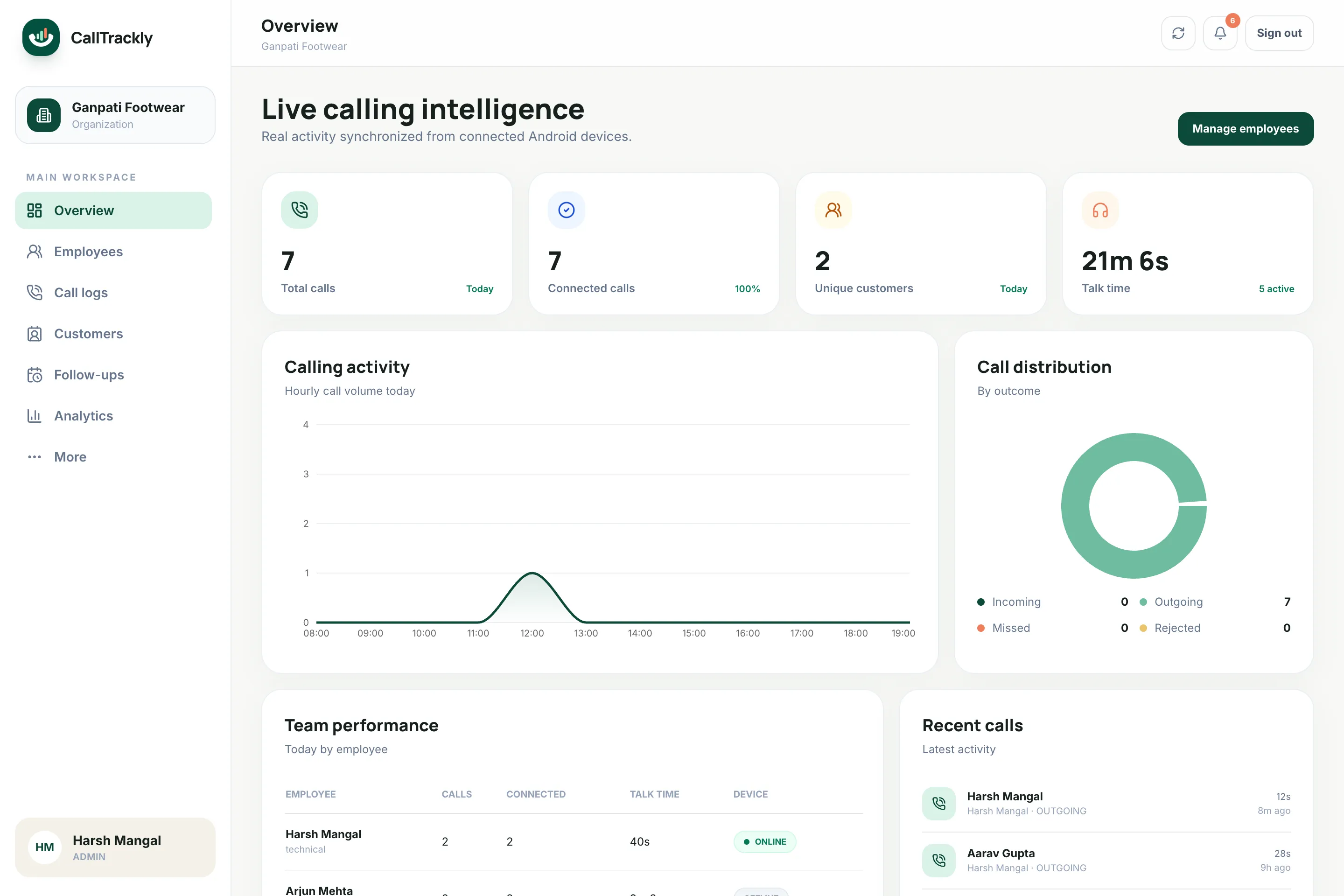
What CallTrackly does for property teams
Track agent calling activity
Understand which agents are contacting prospects and which leads remain untouched.
Recover missed property enquiries
Identify unanswered calls that still need attention.
Schedule follow-ups
Turn “call after Sunday” into an actual reminder.
Give sales managers visibility
Understand lead activity without asking agents for screenshots or manual call reports.
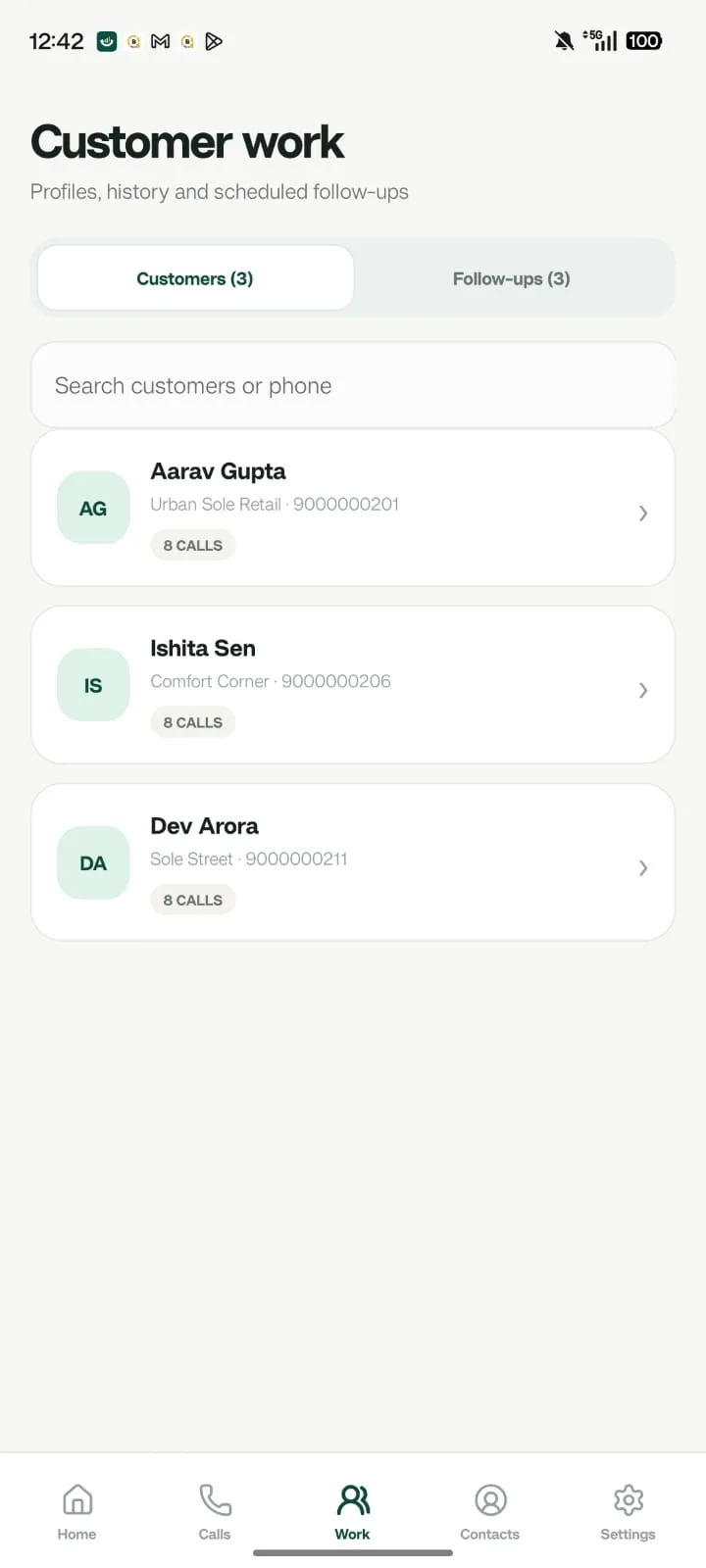
Maintain buyer context
Agents record requirements in notes on the lead, such as:
- Property type
- Location
- Budget
- Configuration
- Purchase timeline
- Site-visit interest
Typical workflow
- Property enquiry
- Assigned agent
- First call
- Requirement captured
- Follow-up
- Site visit
- Negotiation
- Booking / lost
Organize property enquiries around the buyer’s next decision
A property enquiry is rarely complete after one conversation. Buyers may ask about budget, availability, financing, location and a suitable site-visit time over several days. CallTrackly connects authorized agent calling activity with the lead record so a manager can review the enquiry’s owner and next step. It does not determine whether a buyer is qualified or a property is suitable; the agent records those decisions and the supporting context.
Use concise notes to capture the buyer’s stated requirement, preferred contact time and the project discussed. Where relevant, record configuration, budget range and whether a site visit was requested. Do not treat a long conversation as evidence of buying intent. A short confirmation from a returning buyer may be more meaningful than a lengthy first enquiry. Review the actual outcome and promised next action alongside the call duration.
An enquiry-to-site-visit workflow your team can test
Begin with a new enquiry from an approved source and check the phone number before assignment. The responsible agent reviews the lead, makes the first call and records whether the buyer connected. If another attempt is needed, the agent schedules it with the customer’s preferred timing. If a visit is agreed, add the relevant details to the lead notes and create the appropriate follow-up. Treat this as a proposed operating workflow, rather than a claim about a customer’s results.
After the visit, record what changed: a different project, a revised budget, a question for the developer or a request to reconnect later. Keep the stage consistent with the evidence. An assigned enquiry, a qualified buyer, a scheduled visit and a booking represent different events. Managers should be able to see which agent is responsible without needing to interpret a personal notebook or reconstruct the history from messaging screenshots.
Recover missed enquiries without duplicate calls
Calls can arrive while agents are driving, showing a property or speaking with another buyer. The recovery view helps identify customers who still need attention after missed activity. Before assigning a callback, review whether a connected call happened later and whether another employee already owns the enquiry. Agree on how your office handles enquiries outside working hours and who covers an absent agent.
A callback process should respect the buyer’s preferences and avoid several agents contacting the same person with different information. Record the outcome of an unsuccessful attempt and set a reasonable next action. When ownership changes, the receiving employee should review the timeline and any pending commitment. Use organization access controls and business contact details rather than asking employees to share their personal accounts.
Review agent activity with the right context
Compare new-lead calling separately from follow-up work and existing-buyer support. Use the same reporting period for agents and check device freshness before interpreting missing calls. Unique customers, connected conversations, talk time and overdue tasks can highlight questions for a manager, but they cannot replace a conversation about lead quality, travel time or responsibilities. A field agent’s day is different from a desk-based telecaller’s day.
If you want to measure improvement, establish a baseline before changing the workflow. Define when an enquiry enters the process, what counts as a connected response and how site visits or bookings are recorded. Compare equivalent working periods and document exclusions. Do not publish conversion improvements from call activity alone. A credible property case study needs the customer’s approval and a traceable relationship between enquiries, visits and actual outcomes.
Prepare devices, permissions and handovers
Start with supported Android phones and a documented business SIM policy. Tell agents which data is collected, why it is needed and who can view it. Review the in-app disclosure and permissions together during onboarding, then verify an authorized test call in the web console. CallTrackly keeps a visible synchronization notification, and employees can pause sync or revoke access. Validate queued activity after a phone returns from an area with poor connectivity.
Recording is a separate capability and depends on compatible audio files, enabled organization settings and appropriate consent. Do not assume that every site-visit call will have audio. Before an agent leaves or changes devices, reassign open enquiries and follow-ups, revoke old access and check the replacement device’s enrollment. This gives your business a repeatable handover process while preserving the distinction between shared business records and an individual employee’s login.
Frequently asked questions
Can CallTrackly help track property leads?
Yes. Leads can be assigned to agents, moved through stages, and followed up with reminders, with every call attached automatically.
Can managers see agent call activity?
Authorized managers can access employee and team analytics: calls, connection rate, talk time and customers reached.
Can agents keep their own numbers?
Yes. CallTrackly works with the Android phones and SIM cards agents already use.