
Your call log knows who you spoke to. Your CRM should know why.
Traditional call histories are organized around timestamps and phone numbers. Sales teams need context.
CallTrackly turns eligible business calls into part of a customer record.
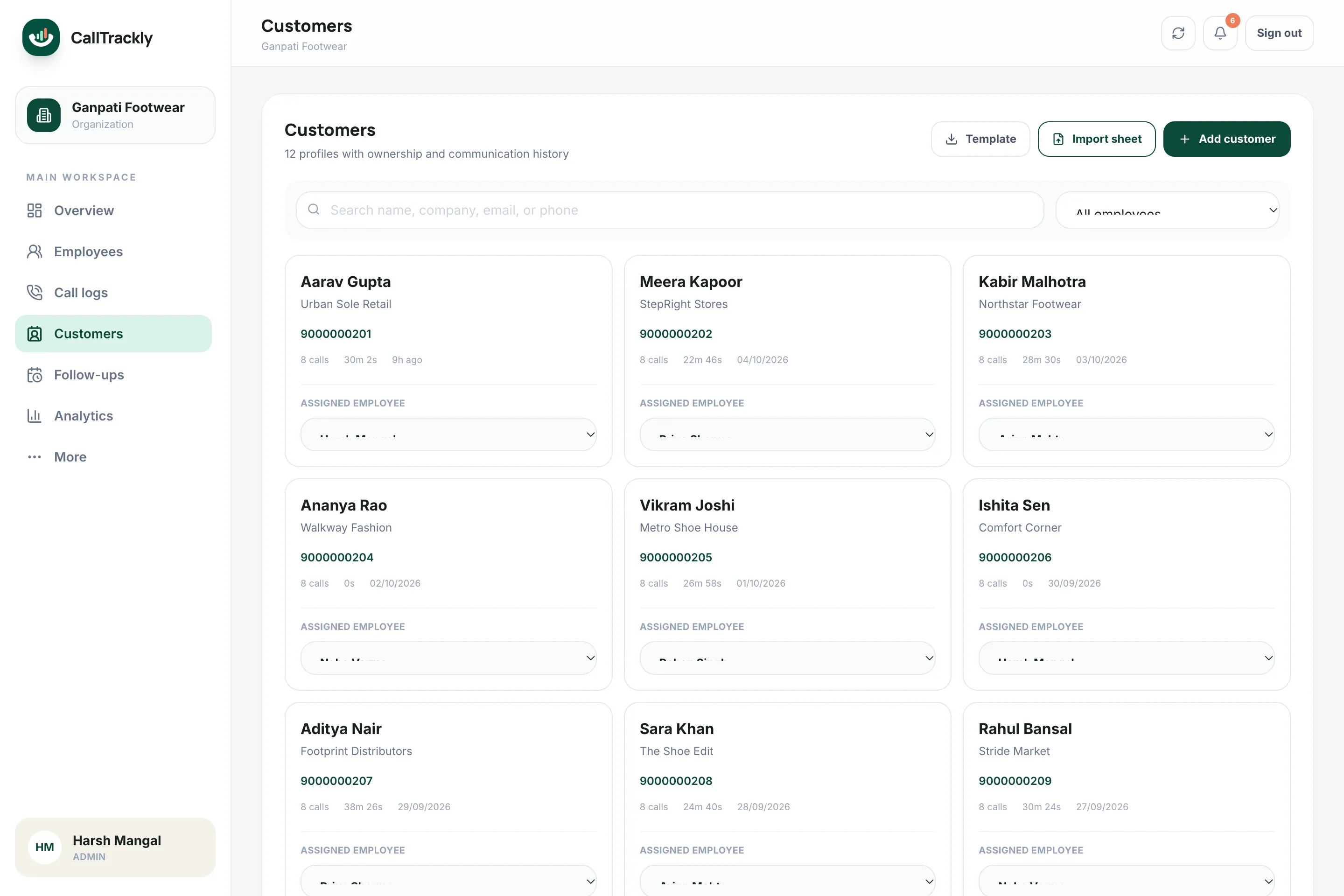
One customer timeline
See relevant calls, notes, lead status, follow-ups and activity in chronological order.
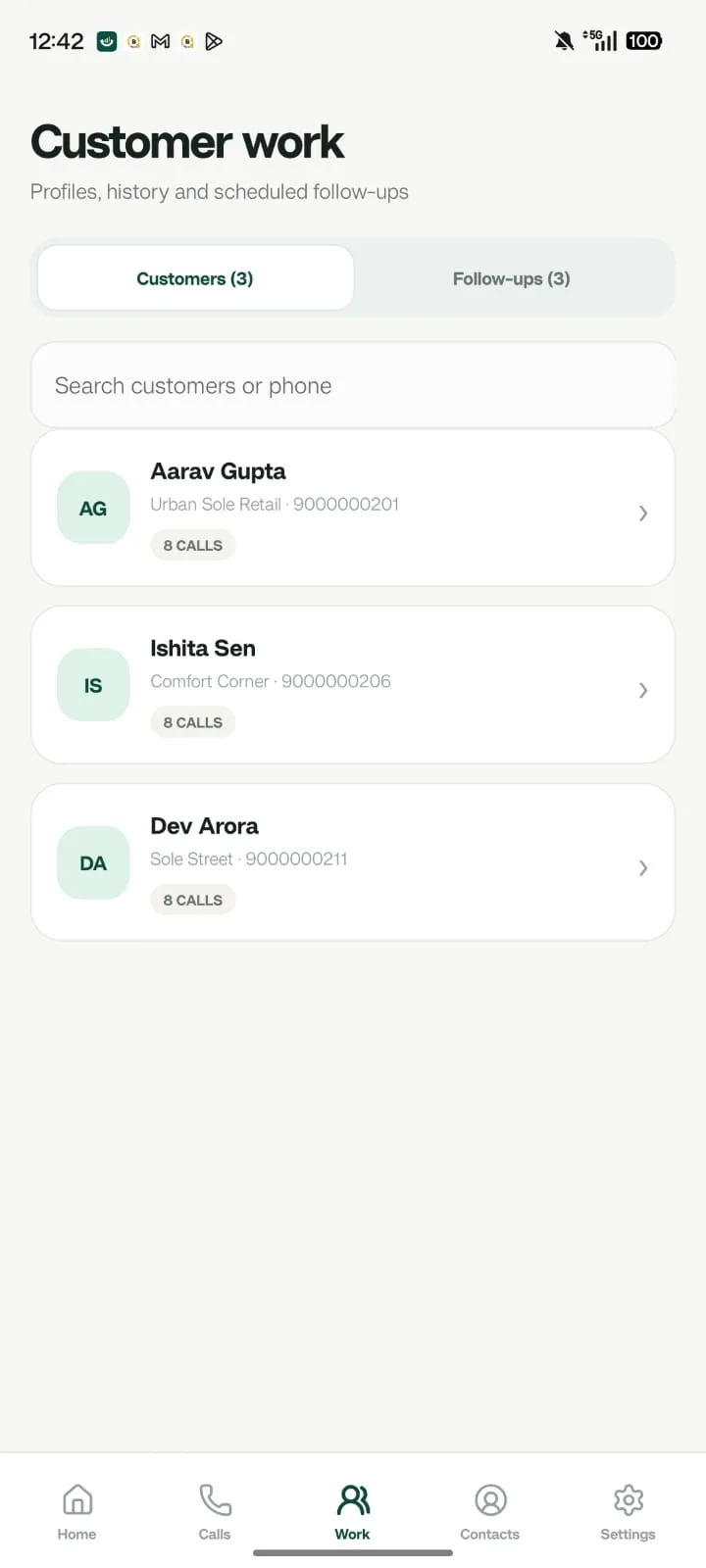
Capture context immediately
After an important conversation, employees can add:
- Call outcome
- Notes
- Lead status
- Tags
- Next follow-up
Reduce CRM data gaps
When business-call activity becomes part of the workflow automatically, employees have less activity to reconstruct later. Calls are matched to customers and leads by normalized phone number.
Build a customer record around the next conversation
A phone number and a timestamp are a useful start, but they do not explain what a customer wanted. A call-log CRM connects the contact, assigned employee, conversation history and next action. When someone returns a call, the employee should be able to see the latest note before asking the customer to repeat the same information. CallTrackly uses normalized phone numbers to associate eligible business calling activity with customer and lead records inside the organization.
Begin with a small set of consistent fields: a recognizable customer name, the correct country code, a responsible employee, a meaningful stage and a dated next step where one has been agreed. Notes should describe the business requirement, what was discussed and what the employee promised. Avoid collecting unrelated personal information. A clear note such as “send the revised quotation and call on Thursday” is more actionable than a vague label such as “follow up”.
From a new enquiry to an owned follow-up
Consider an illustrative enquiry workflow. An administrator imports or creates a lead, checks its number and assigns an employee. The employee reviews the available context, places an authorized business call and records the result. If the customer asks to speak later, the employee chooses a date and time and adds the reason for the callback. Managers can then review ownership, stage and scheduled work together, instead of asking for separate screenshots from each phone.
Keep assignment and sales progress distinct in your process. An unassigned lead needs an owner; an assigned lead has someone responsible for its next action. A scheduled follow-up records a commitment to reconnect, while a qualified or won stage describes a different business outcome. Use the available workflow rules consistently and review the saved stage after changes. A reminder is not evidence of a sale, and an answered call is not proof that the lead is qualified.
Move from spreadsheets with a controlled import
Before importing, standardize phone numbers and decide how to handle duplicate contacts. Check whether multiple branches, family members or company employees share a number, because number matching alone cannot establish a person’s identity. Keep an original export so mistakes can be investigated. Import a small sample first and review names, numbers, ownership and any required fields in the console before processing the rest of the list.
Agree on a short list of stages and dispositions before asking the whole team to use them. Too many nearly identical labels make reporting harder. Start with the decisions you actually make: needs first contact, needs another attempt, interested, follow-up scheduled, closed or no longer relevant. Document who may reassign a lead and who handles an employee’s outstanding tasks when they leave. Review access promptly rather than sharing the former employee’s login.
Use the CRM as a handover record
When an employee is absent, another authorized person should be able to understand the customer’s position without reconstructing weeks of calls. Review the most recent connected conversation, current notes, open tasks and expected outcome. Confirm whether a callback was already attempted before making another call. This reduces the chance that several people contact the same customer with inconsistent information, although the result still depends on your team maintaining accurate notes.
If your organization already has a larger CRM, map which system owns each field before connecting tools. Decide where leads are created, where ownership is maintained and which events should be sent through supported integrations, webhooks or the API. Test duplicate delivery, invalid phone numbers, authentication and failed requests. Keep credentials on the server and give each integration only the access it needs. A logo in an integration catalogue does not replace a tested data mapping.
Evaluate reporting and cost in the same trial
Use the trial to follow several test leads from creation through calls and a completed next action. Check whether managers can answer who owns the lead, when it was last contacted and what happens next. Compare a sample customer timeline with the phone’s history and confirm the organization timezone. Include one offline phone and one reassignment scenario so the evaluation reflects normal operating conditions.
Then review pricing against the number of active users and the features your process actually requires. Published prices are per user with the selected billing cycle; applicable GST is added at billing. Include the time needed for onboarding, data cleanup and employee training in your decision. Choose a CRM because it supports a repeatable workflow, not because a dashboard contains more charts. CallTrackly is intended to connect business calling with that everyday execution.
Frequently asked questions
How are calls matched to customers?
Phone numbers are normalized and matched to existing customer and lead records automatically.
Can we import existing customers?
Yes. Import customers from CSV or Excel with name, phone, email, company, tags and assigned employee.