
Keep your existing SIM
Continue calling from approved business numbers customers already know.
Your team is already speaking with customers. CallTrackly helps you understand what happens before, during and after those calls.
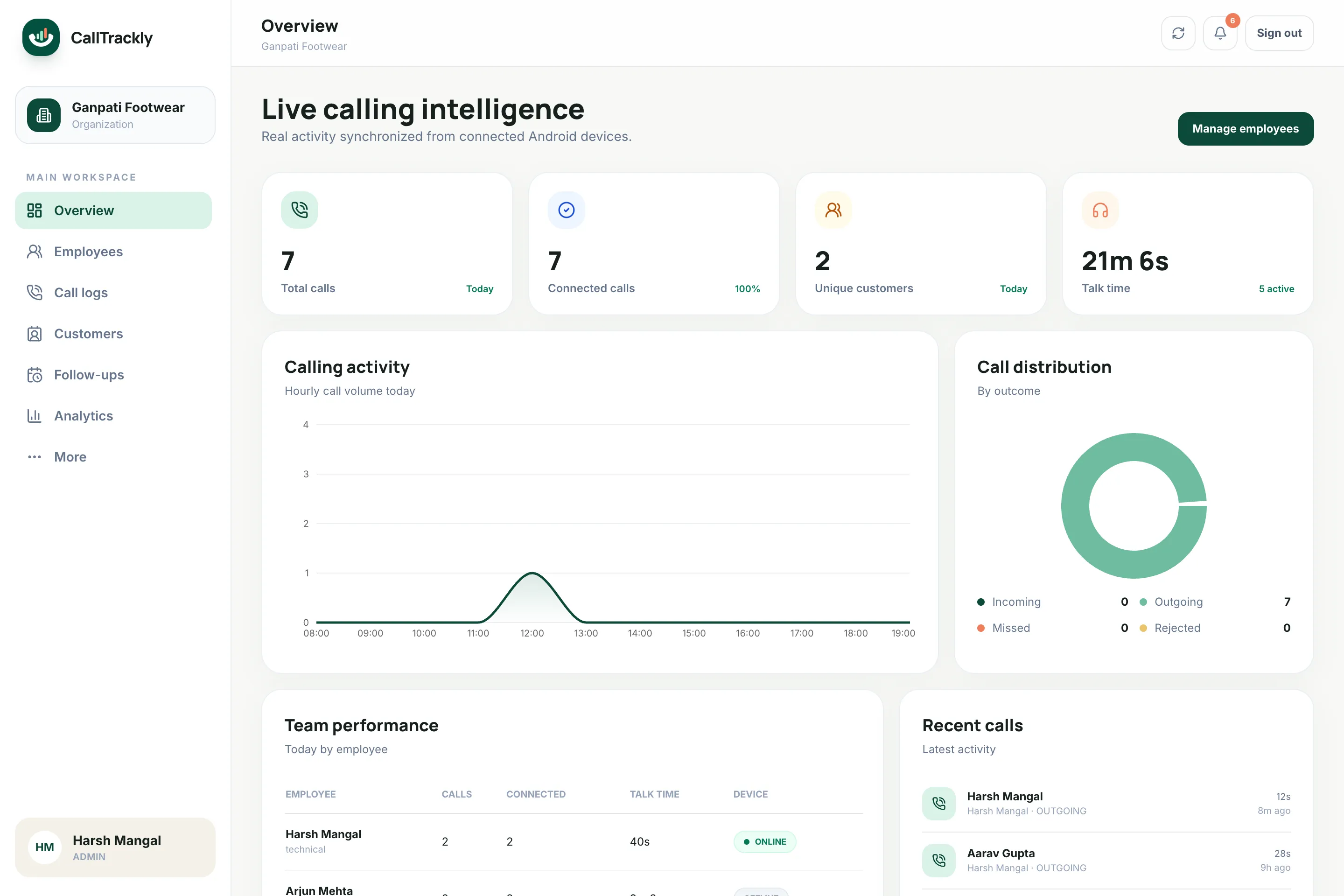
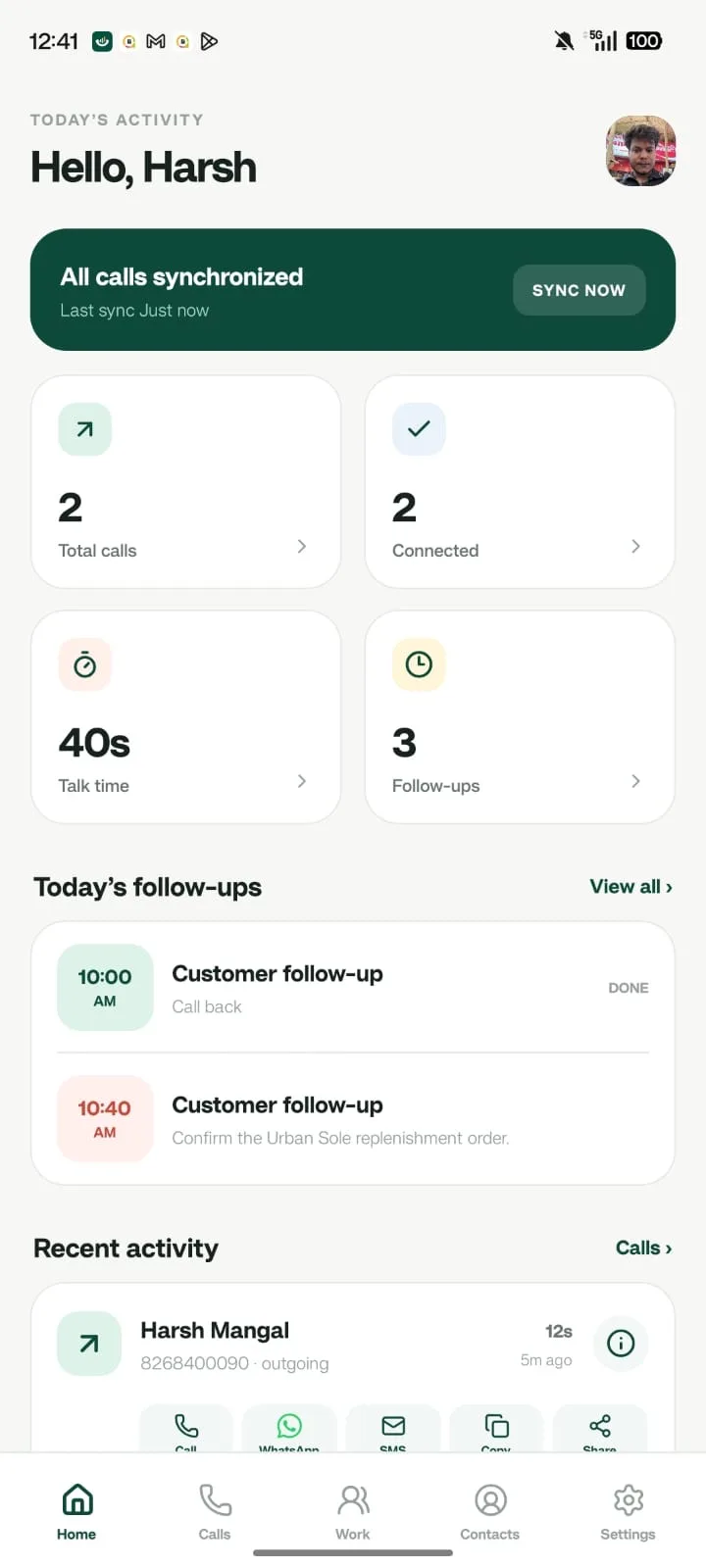
Track business calls from your team’s Android phones, identify missed opportunities, manage follow-ups, connect conversations with leads and understand sales activity from one dashboard.










Built for phone-first teams in
Connect your existing workflow instead of rebuilding it around another isolated tool.
The answer should not depend on memory, notebooks, screenshots or end-of-day spreadsheets.
CallTrackly creates a structured activity trail around your business calls so managers and sales teams can see what happened and what needs to happen next.
From the moment a call ends to the manager's weekly review.
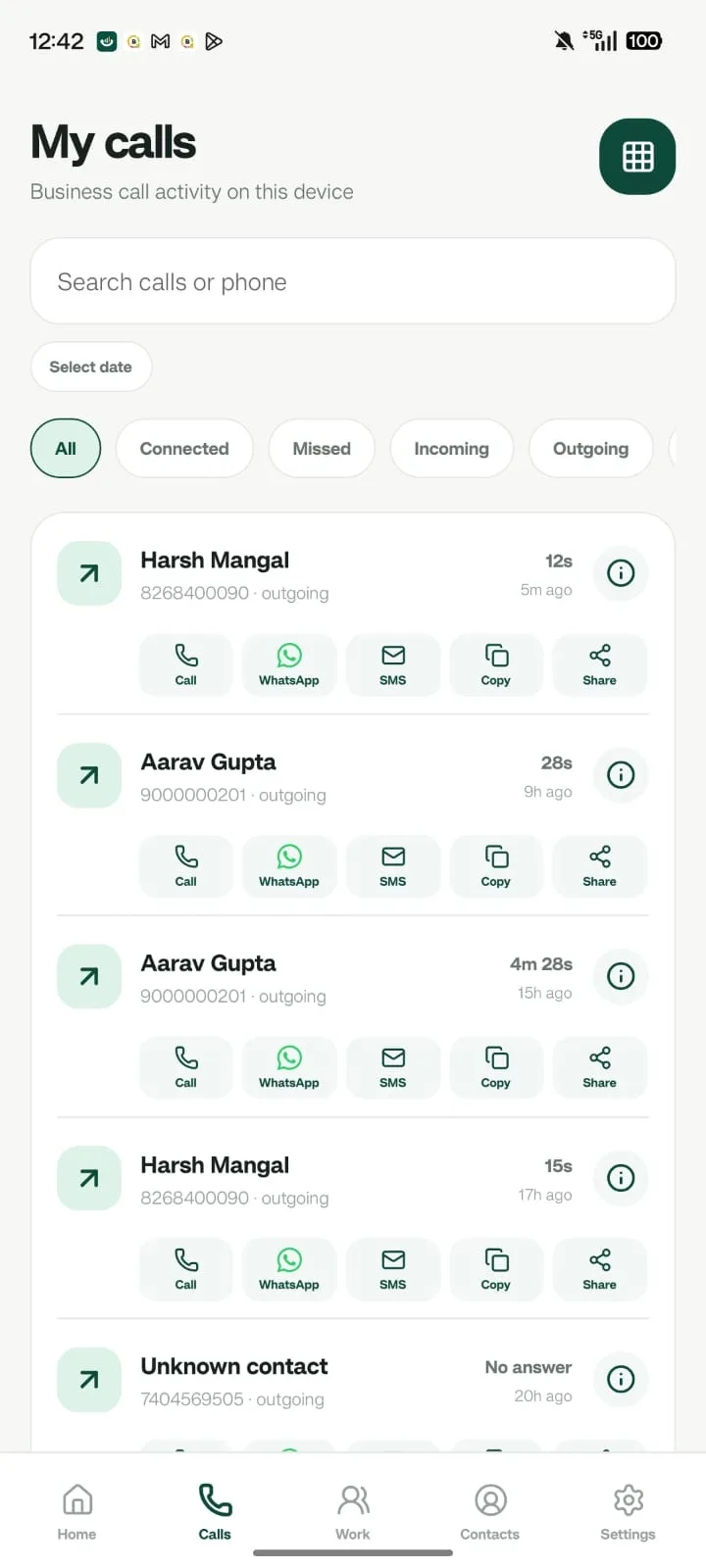
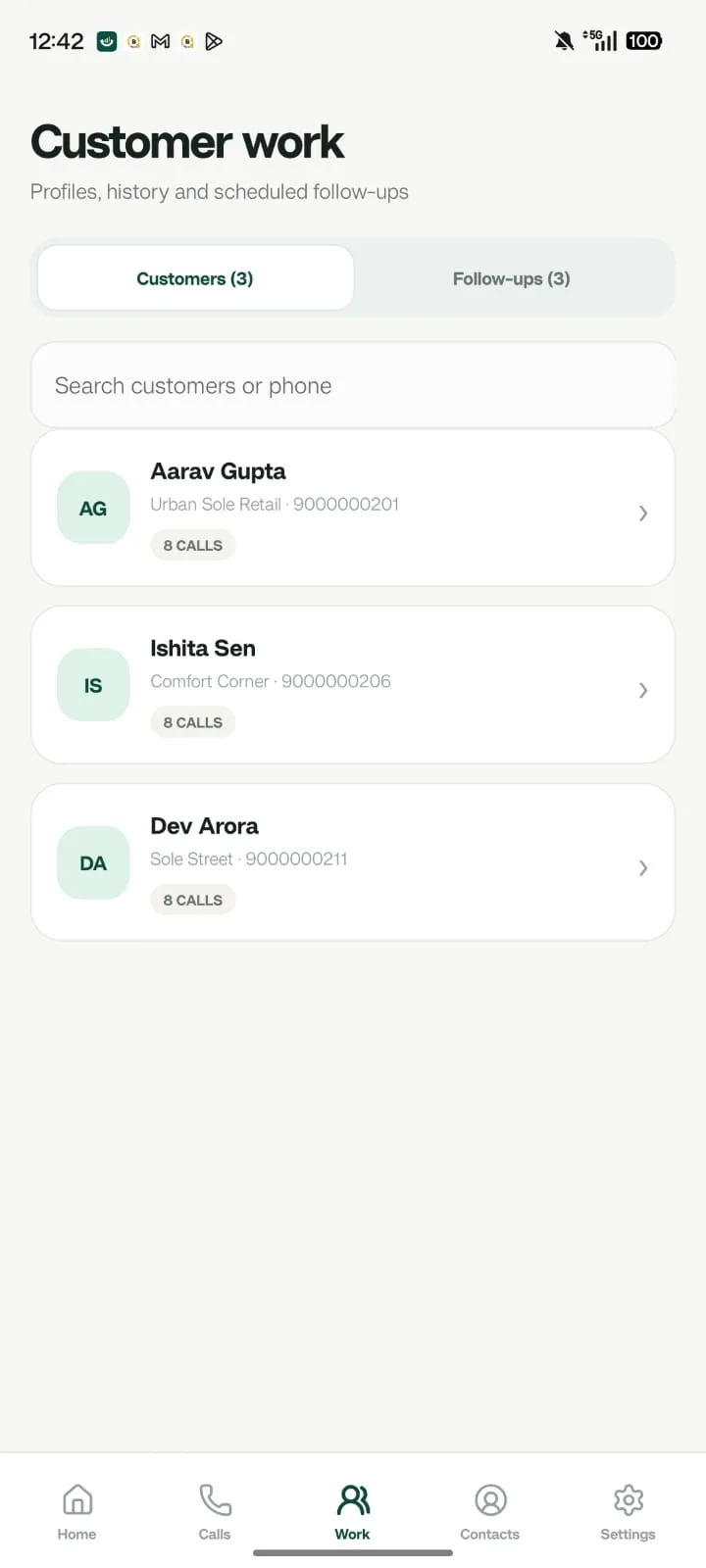
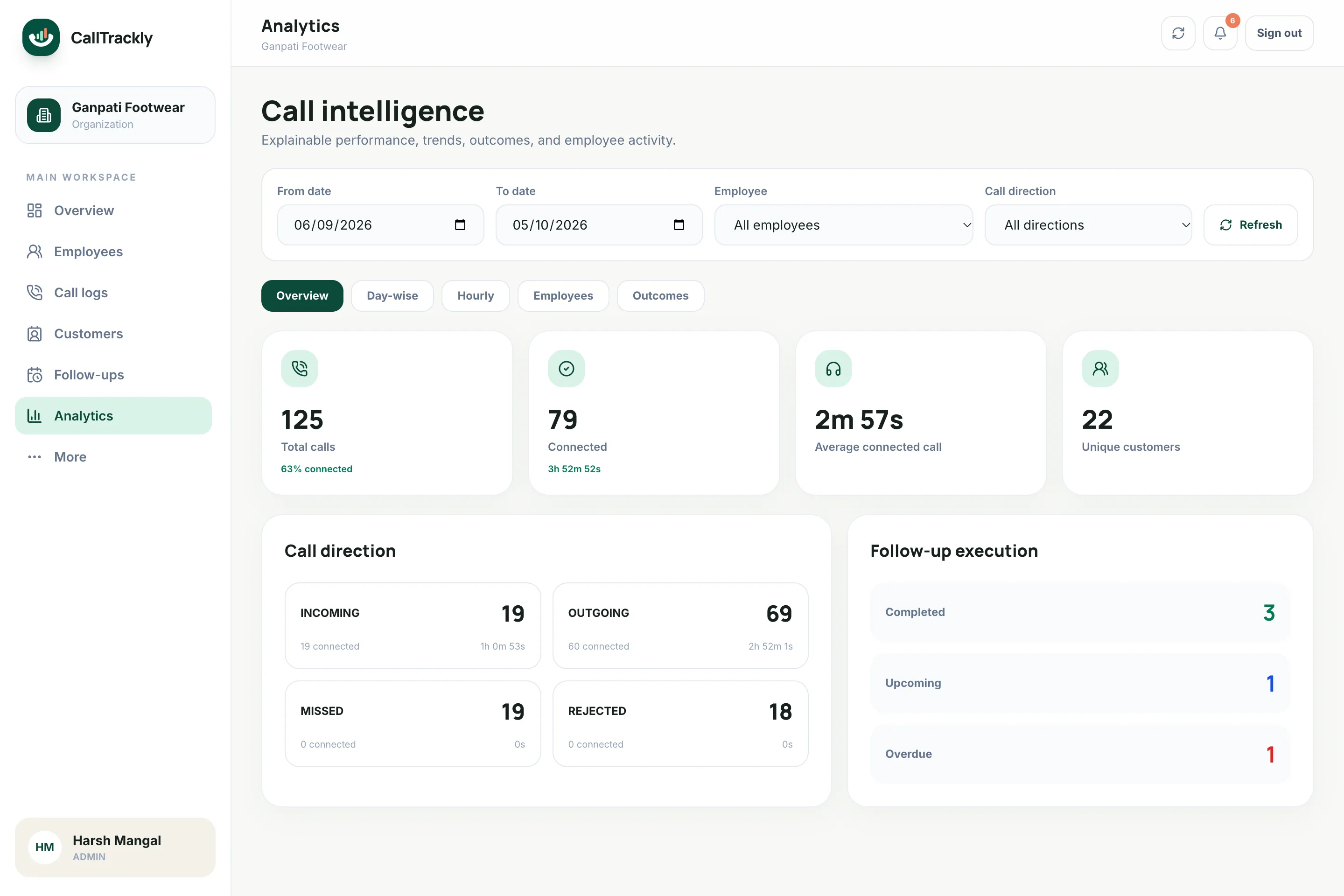
Your team keeps using approved business SIM numbers on supported Android devices. CallTrackly organizes business call activity into a central dashboard:
No more rebuilding yesterday’s activity manually.
Continue calling from approved business numbers customers already know.
Connect compatible work phones without replacing the calling workflow.
Use a single-use organization code to connect each authorized profile.
Required disclosure and data permissions are confirmed before synchronization.
Understand calling activity employee by employee: call volume, connected calls, talk time, missed calls and customer conversations.
Explore Employee call trackingUse supported Android phones and approved business SIM numbers instead of forcing every employee onto a new virtual number.
Explore SIM-based call trackingIdentify customer calls that were missed and still need attention.
Explore Missed call follow-upMove beyond total call counts. Compare activity, connection patterns, talk time, customer coverage and employee performance.
Explore Call analyticsConnect calls with leads, notes, statuses, assignments and follow-ups.
Explore Lead managementTurn “call me tomorrow” into an actual task instead of a forgotten promise.
Explore Follow-up remindersNot every call deserves equal attention. CallTrackly helps managers identify:
A customer called but the conversation did not happen, and nobody has called back yet.
Your salesperson tried reaching a prospect but could not connect.
A next action was promised but is still outstanding, or already overdue.
High-priority leads that still need meaningful activity.
The objective is simple: help your team spend less time reconstructing activity and more time progressing conversations.
Customer communication rarely happens in one call. A prospect may:
CallTrackly brings business-call activity, notes, follow-ups and lead information into one customer timeline. Managers see context. Employees know what happened previously. Customers don’t have to explain everything again.
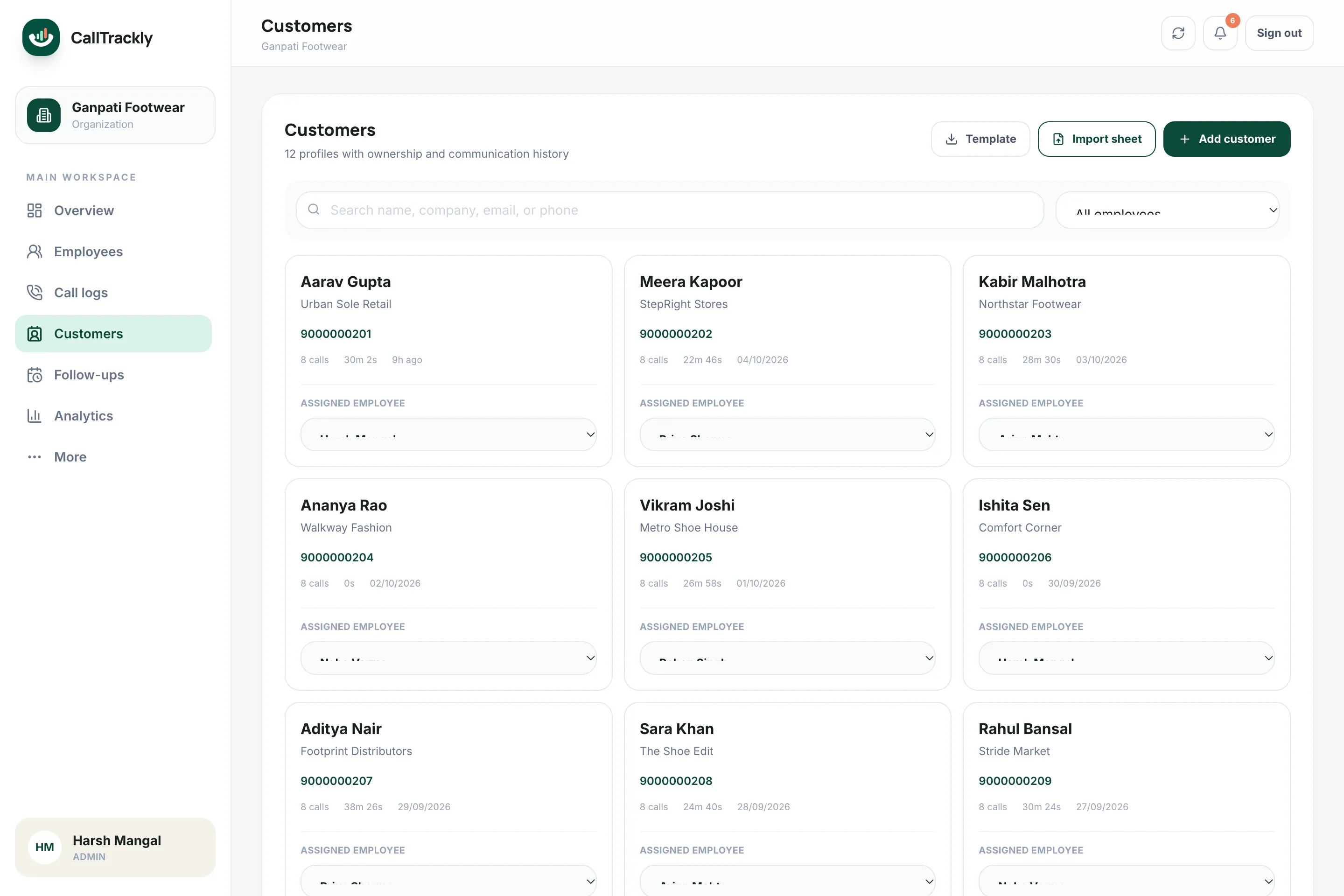
Track loan enquiries, document callbacks and collections follow-ups with a clear activity history.
Track property enquiry follow-ups and agent calling activity.
Manage admission enquiries, counsellor conversations and pending callbacks.
Organize prospect conversations and follow-up activity with appropriate internal controls.
Track test-drive, enquiry and service-related calling workflows.
Keep candidate and client follow-ups organized.
Understand dealer, retailer and customer calling activity.
Give field and inside-sales teams a shared record of customer communication.
Sales teams, telecalling teams and field sales.
See solutionsCallTrackly gives managers a central view of business calling activity. Monitor:
Turn activity into coaching conversations based on evidence rather than assumptions.
A useful call record becomes part of a wider workflow, so managers understand both activity and context.
CallTrackly is business call tracking and sales activity software that helps organizations organize business call activity, employee calling analytics, leads and follow-ups.
No. CallTrackly is built around supported Android devices and your existing, approved business SIM calling workflows. Employees keep calling from the numbers customers already know.
CallTrackly includes lightweight lead and customer management focused on phone-based sales workflows: customer timelines, lead stages, notes and follow-ups, with CRM, API and automation integrations.
Yes. CallTrackly classifies business-call activity as incoming, outgoing, missed or rejected, and shows missed calls that were never followed by a connected callback.
Requirements depend on jurisdiction, employment arrangements, the data collected and whether conversations are recorded. Businesses should provide appropriate disclosure and obtain any required consent before deploying monitoring or recording features.
Yes. The Android app queues call activity on the device and syncs it automatically, with retries, when connectivity returns.
Call capture requires Android, because iOS does not allow apps to read the call log. Managers use the web console from any modern browser.
See the activity. See the context. See what needs attention next.